lorem ipsum dolor sit amet ...
Tidsskrift
Bog, 5. edition, 2020

Cover -- Title Page -- Copyright and Credits -- Dedicated -- About Packt -- Contributors -- Table of Contents -- Preface -- Section 1: Swift -- Chapter 1: Getting Familiar with Xcode -- Technical requirements -- Downloading and installing Xcode from the App Store -- Understanding the Xcode user interface -- Running the app in the iOS simulator -- Using an iOS device for development -- Connecting an iOS device wirelessly -- Summary -- Chapter 2: Simple Values and Types -- Technical requirements -- Understanding Swift Playgrounds -- Customizing fonts and colors -- Running playground code -- Exploring data types -- Representing integers -- Representing floating-point numbers -- Representing Booleans -- Representing strings -- Using common data types in the playground -- Exploring constants and variables -- Understanding type inference and type safety -- Using type annotation to specify a type -- Using type safety to check values -- Exploring operators -- Using arithmetic operators -- Using compound assignment operators -- Using comparison operators -- Using logical operators -- Performing string operations -- Using the print() instruction -- Summary -- Chapter 3: Conditionals and Optionals -- Technical requirements -- Introducing conditionals -- Using if statements -- Using switch statements -- Introducing optionals -- Using optionals and optional binding -- Summary -- Chapter 4: Range Operators and Loops -- Technical requirements -- Exploring range operators -- Exploring loops -- Using the for-in loop -- Using the while loop -- The repeat-while loop -- Summary -- Chapter 5: Collection Types -- Technical requirements -- Understanding arrays -- Creating an array -- Checking the number of elements in an array -- Adding a new element to an array -- Accessing an array element -- Assigning a new value to a particular index ; Removing an element from an array -- Iterating over an array -- Understanding dictionaries -- Creating a dictionary -- Checking the number of elements in a dictionary -- Adding a new element to a dictionary -- Accessing a dictionary element -- Assigning a new value to an existing key -- Removing an element from a dictionary -- Iterating over a dictionary -- Understanding sets -- Creating a set -- Checking the number of elements in a set -- Adding a new element to a set -- Checking whether a set contains an element -- Removing an item from a set -- Iterating over a set -- Exploring set operations -- Exploring set membership and equality -- Summary -- Chapter 6: Functions and Closures -- Technical requirements -- Understanding functions -- Creating a function -- Using custom argument labels -- Using nested functions -- Using functions as return types -- Using functions as parameters -- Using a guard statement to exit a function early -- Understanding closures -- Simplifying closures -- Summary -- Chapter 7: Classes, Structures, and Enumerations -- Technical requirements -- Understanding classes -- Creating a class declaration -- Making an instance of the class -- Making a subclass -- Overriding a superclass method -- Understanding structures -- Creating a structure declaration -- Making an instance of the structure -- Comparing value types and references types -- Deciding between classes and structures -- Understanding enumerations -- Creating an enumeration -- Summary -- Chapter 8: Protocols, Extensions, and Error Handling -- Technical requirements -- Understanding protocols -- Creating a protocol declaration -- Understanding extensions -- Adopting a protocol via an extension -- Creating an array of different types of objects -- Exploring error handling -- Summary -- Section 2: Design -- Chapter 9: Setting Up the User Interface ; Technical requirements -- Learning useful terms in iOS development -- Touring the Let's Eat app -- Using the Explore screen -- Using the Locations screen -- Using the Restaurant List screen -- Using the Restaurant Detail screen -- Using the Review Form screen -- Using the Photo Filter screen -- Using the Map screen -- Creating a new Xcode project -- Setting up a tab bar controller scene -- Setting the titles of the tab bar's buttons -- Adding the Assets.xcassets file -- Adding the icons for the Explore and Map buttons -- Setting up the Launch screen -- Configuring the Launch screen's background color -- Adding a logo and constraints to the Launch screen -- Configuring Interface Builder -- Summary -- Chapter 10: Building Your User Interface -- Adding a collection view to the Explore screen -- Connecting storyboard elements to outlets in a view controller -- Adding a Cocoa Touch Class file to your project -- Connecting storyboard elements to the view controller -- Configuring data source methods for the collection view -- Setting the delegate and data source properties of the collection view -- Adopting the UICollectionViewDataSource and UICollectionViewDelegate protocols -- Adding a section header to the collection view -- Configuring storyboard element sizes -- Presenting a view modally -- Adding a button to the collection view header -- Adding a new view controller scene -- Adding Cancel and Done buttons to the navigation bar -- Summary -- Chapter 11: Finishing Up Your User Interface -- Technical requirements -- Adding a table view to the Locations screen -- Implementing the Restaurant List screen -- Declaring the RestaurantListViewController class -- Adopting the delegate and data source protocols -- Presenting the Restaurant List screen -- Implementing the Restaurant Detail screen -- Implementing the Review Form screen ; Implementing the Map screen -- Summary -- Chapter 12: Modifying and Configuring Cells -- Technical requirements -- Modifying the Explore screen section header -- Adding Auto Layout to the Explore screen's section header -- Modifying the exploreCell collection view cell -- Modifying the restaurantCell collection view cell -- Adding Auto Layout constraints to the restaurantCell collection view cell -- Configuring the locationCell table view cell -- Summary -- Section 3: Code -- Chapter 13: Getting Started with MVC and Collection Views -- Technical requirements -- Understanding the Model-View-Controller design pattern -- Exploring controllers and classes -- Understanding collection views -- Revisiting the Explore and Restaurant List screens -- Summary -- Chapter 14: Getting Data into Collection Views -- Technical requirements -- Understanding model objects -- Understanding .plist files -- Creating a structure to represent a cuisine -- Implementing a data manager class to read data from a .plist file -- Using the data manager to initialize ExploreItem instances -- Displaying data in a collection view -- Connecting the outlets in exploreCell -- Implementing additional data manager methods -- Updating the data source methods in ExploreViewController -- Summary -- Chapter 15: Getting Started with Table Views -- Technical requirements -- Understanding table views -- Creating the LocationViewController class -- Connecting the table view to the LocationViewController class -- Adding the data source and delegate methods -- Adding location data for the table view -- Creating the LocationDataManager class -- Displaying data in a table view -- Summary -- Chapter 16: Getting Started with MapKit -- Technical requirements -- Understanding and creating annotations -- Creating the RestaurantItem class -- Creating the MapDataManager class ; Creating the DataManager protocol -- Refactoring the MapDataManager class -- Refactoring the ExploreDataManager class -- Adding annotations to a map view -- Creating the MapViewController class -- Connecting the outlets for the map view -- Setting the map view region to be displayed -- Displaying MKAnnotationView instances on the map view -- Creating custom MKAnnotationView instances -- Going from the Map screen to the Restaurant Detail screen -- Creating and configuring a storyboard reference -- Performing the showDetail segue -- Passing data to the Restaurant Detail screen -- Organizing your code -- Refactoring the ExploreViewController class -- Using the // MARK: syntax -- Refactoring the RestaurantListViewController class -- Refactoring the LocationViewController class -- Refactoring the MapViewController class -- Summary -- Chapter 17: Getting Started with JSON Files -- Technical requirements -- Getting data from JSON files -- Understanding the JSON format -- Creating the RestaurantDataManager class -- Using data from JSON files in your app -- Configuring the MapDataManager instance to use data from the RestaurantDataManager instance -- Storing a user-selected location -- Adding a view controller for the section header on the Explore screen -- Connecting the section header's label to the ExploreViewController class -- Adding an unwind action method to the Done button -- Selecting only one location on the Locations screen -- Passing location and cuisine information to the RestaurantListViewController instance -- Creating a view controller for the cells on the Restaurant List screen -- Connecting the outlets for the RestaurantCell class -- Displaying a custom UIView to indicate no data is available -- Displaying a list of restaurants on the Restaurant List screen -- Summary -- Chapter 18: Displaying Data in a Static Table View ; Technical requirements
The article is a part of
The articles in are frequently about
In
All registered articles grouped by issue
...
...
...
...
...

The bigger book of apps : your nerdy BFF’s guide to (almost) every app in the universe
Beth Ziesenis
Apps for librarians : using the best mobile technology to educate, create, and engage
Nicole Hennig
React design patterns and best practices : build modular applications that are easy to scale using the most powerful components and design patterns that React can offer you right now
Michele Bertoli
The essays of Warren Buffett
Warren Buffett

Adobe XD CC : 2019 release
Brian Wood
Beginning Azure functions : building scalable and serverless apps
Rahul Sawhney
iPad for artists : how to make great art with your tablet
Dani Jones
Building versatile mobile apps with Python and REST : RESTful web services with Django and React
Art Yudin
Lær at lave dem selv Android apps uden programmering
Kristian Langborg-Hansen
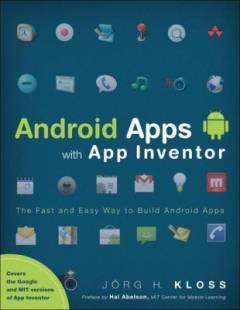
Android Apps with App Inventor : the fast and easy way to build android apps
Jörg H. Kloss