lorem ipsum dolor sit amet ...
Tidsskrift

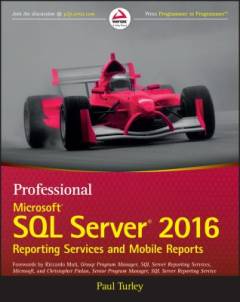
Cover -- Title Page -- Copyright -- About the Author -- About the Technical Editor -- Credits -- Acknowledgments -- Contents -- Foreword -- Foreword -- Introduction -- Who This Book is For -- What This Book Covers -- Part I: Getting Started -- Part II: Basic Report Design -- Part III: Advanced and Analytic Reporting -- Part IV: Solution Patterns -- Part V: Reporting Services Custom Programming -- Part VI: Mobile Report Solutions -- Part VII: Administering Reporting Services -- What You Need to Use This Book -- Conventions -- Sample Reports and Projects -- Errata -- P2P.WROX.COM -- Part I: Getting Started -- Chapter 1: Introducing Reporting Services -- Who Uses Reporting Services? -- Information Workers and Data Analysts -- Information Consumers -- Business Managers and Leaders -- Software Developers -- System Administrators -- Dashboards, Reports, and Applications -- Application Integration -- Business Intelligence and Analytics Solutions -- Mobile Reports and KPIs -- Report Tool Choices -- Simple Report Design -- IT-Designed Reports -- User-Designed Reports -- Server-Based Reports -- Report Data Sources -- Enterprise Scale -- Optimizing Performance -- Performance -- Summary -- Chapter 2: What's New in SQL Server 2016 Reporting Services? -- Report Builder and Designer Enhancements -- Modern Browser Rendering -- Parameter Layout Control -- Updated RDL Specification -- Mobile Reports -- KPIs -- Native Printing Control -- PowerPoint Rendering -- Integrated and Improved Web Portal -- New Charts and Visual Enhancements -- Standardized, Modern Browser Rendering -- Power BI Dashboard Pinning -- Summary -- Chapter 3: Reporting Services Installation and Architecture -- What's Changed in SQL Server 2016? -- The Basic Installation -- Installing Reporting Services -- Installing the Reporting Services Samples, Exercises, and SQL Server Databases ; The Enterprise Deployment -- SQL Server Editions -- Default and Named Instances -- Topology -- Modes -- Installation Options -- The Reporting Life Cycle -- Authoring -- Management -- Delivery -- Reporting Services Tools -- Report Builder -- Web Portal -- SharePoint Libraries and Web Parts -- Reporting Services Configuration Manager -- SQL Server Management Applications -- Command-Line Utilities -- HTML Viewer -- Report Viewer Control -- Reporting Services Web Service -- Reporting Services Windows Service -- HTTP.SYS and the HTTP Listener -- The Security Sublayer -- Web Portal and the Web Service -- Core Processing -- Service Management -- WMI and the RPC Interface -- Reporting Services Processors and Extensions -- The Report Processor -- Data Processing Extensions -- Report Items -- Rendering Extensions -- The Scheduling and Delivery Processor -- Delivery Extensions -- Reporting Services Application Databases -- ReportServer -- ReportServerTempDB -- Summary -- Part II: Basic Report Design -- Chapter 4: Report Layout and Formatting -- Using Report Design Tools -- Understanding Report Data Building Blocks -- Data Sources -- Datasets -- Data Regions -- Report Items -- Samples and Exercises -- Preparing the Report Data -- Designing the Report Layout -- Reviewing the Report -- Setting Formatting Properties -- Validating Report Design and Grouping Data -- Summary -- Chapter 5: Data Access and Query Basics -- Database Essentials -- Relational Database Concepts -- What's a Sequel? -- Data Source Management -- Embedded and Shared Data Sources -- Datasets and Fields -- Embedded and Shared Datasets -- Exercises -- Authoring a Query with SQL Server Management Studio -- Add the Query to the Report Dataset -- Design the Report Body -- Enhance the Parameter -- Using Multiple Parameter Values -- Summary -- Chapter 6: Grouping and Totals -- SQL Server Data Tools ; Getting Started -- Getting Started with Sample Reports Projects -- Report Groups -- Adding Totals to a Table or Matrix Report -- Expression Basics -- Introducing Aggregate Functions and Totals -- Sorting -- Exercise -- Design the Dataset Query -- Design and Lay Out a Table Report -- Add Summary Totals and Drill-Down -- Aggregate Detail Row Summaries -- Create Parameter List -- Summary -- Part III: Advanced and Analytic Reporting -- Chapter 7: Advanced Report Design -- Pagination and Flow Control -- Headers and Footers -- Tablix Headers and Detail Cells -- Designing the Page Headers -- Composite Reports and Embedded Content -- Unlocking the Textbox -- Padding and Indenting -- Embedded Formatting -- Designing Master/Detail Reports -- Repeating Data Regions: Table, Matrix, and List -- Groups and Dataset Scope -- More Aggregate Functions and Totals -- Designing Subreports -- Federating Data with a Subreport -- Navigating Reports -- Creating a Document Map -- Exercises -- Exercise 1: Create a Report Template -- Exercise 2: Create a Report from the Template with Dynamic Expressions -- Summary -- Chapter 8: Graphical Report Design -- Visual Design Principles -- Keep Charts Simple -- Properties, Oh My! -- The Fashion of Visualization -- Visual Storytelling -- Perspective and Skewing -- Chart Types -- Chart Type Summary -- Column and Stacked Charts -- Area and Line Charts -- Pie and Doughnut Charts -- Bubble and Stock Charts -- New Chart Types -- The Anatomy of a Chart -- Multiple Series, Axes, and Areas -- Exercises -- Exercise 1: Creating and Styling a Simple Chart -- Exercise 2: Creating a Multi-series Chart -- Useful Properties and Settings -- Summary -- Chapter 9: Advanced Queries and Parameters -- T-SQL Queries and Parameters -- Parameter Lists and Multi-select -- Cascading Parameters -- Arranging Parameters in the Parameter Bar ; Managing Long Parameter Lists -- All Value Selection -- Handling Conditional Logic -- MDX Queries and Parameters -- Single-Valued Parameter -- Multi-Valued Parameter -- Date Value Ranges -- Summary -- Chapter 10: Reporting with Analysis Services -- Analysis Services for Reporting -- Using Reporting Services with Analysis Services Data -- Working with Multidimensional Expression Language -- MDX: Simple or Complex? -- Building Queries with the MDX Query Designer -- Modifying an MDX Query -- Adding Nonadditive Measures -- When to Use the Aggregate Function -- MDX Properties and Cube Formatting -- Drill-Through Reports -- Parameter Safety Precautions -- Best Practices and Provisions -- Summary -- Chapter 11: SSAS Reporting Advanced Techniques -- Building a Dynamic Cube Browser with SSRS -- Cube Dynamic Rows -- Cube Dynamic Rows Anatomy -- Cube Dynamic Rows Summary -- Cube Dynamic Rows Expanded -- MDX Query Modifications -- Design Surface Modifications -- Cube Restricting Rows -- Designing the Report -- Cube Metadata -- Designing the Report -- Adding Other Cube Metadata -- Cube Browser -- Anatomy of the Reports -- Behind the Scenes -- Final Thoughts -- Summary -- Chapter 12: Expressions and Actions -- Basic Expressions Recap -- Using the Expression Builder -- Calculated Fields -- Conditional Expressions -- The IIF() Function -- Using Custom Code -- Using Custom Code in a Report -- Links and Drill-Through Reports -- Reporting on Recursive Relationships -- Actions and Report Navigation -- Summary -- Part IV: Solution Patterns -- Chapter 13: Report Projects and Consolidation -- SSDT Solutions and Projects -- Project Structure and Development Phases -- Shared Datasets and Data Sources -- Key Success Factors -- Report Specifications -- Report Template -- Version Control -- Setting Up Version Control -- Getting the Latest Version -- Viewing a Report's History ; Restoring a Previous Version of a Report -- Setting Check-out and Check-in Policies -- Applying Labels -- Synchronizing Content -- Deploying an Individual Report -- Deploying a Suite of Reports -- Checking for Build Errors -- Excluding a Report from a Deployment -- Managing Server Content -- Checking the Deployment Location -- Managing Content in Native Mode -- Managing Content in SharePoint -- Report Builder and Self-Service Reporting Strategies -- Report Builder and Semantic Model History -- Planning a Self-Service Reporting Environment -- You Need a Plan -- Design Approaches and Usage Scenarios -- Define Ownership -- Data Governance -- Data Source Access and Security -- User Education -- Data Source and Query Options -- User Report Migration Strategies -- Review -- Consolidate -- Design -- Test -- Maintain -- Summary -- Chapter 14: Report Solutions, Patterns, and Recipes -- Super Reports -- Working with the Strengths and Limitations of the Reporting Services Architecture -- Seeking the Excel Export Holy Grail -- Report Recipes: Building on Basic Skills -- Dashboard Solution Data Sources and Datasets -- KPI Scorecard -- Gauges -- Interactive Sparkline and Chart -- Thumbnail Map with Drill-Through Navigation -- Summary -- Part V: Reporting Services Custom Programming -- Chapter 15: Integra Ting Reports Into Custom Applications -- URL Access -- URL Syntax -- Accessing Reporting Services Objects -- Reporting Services URL Parameters -- Passing Report Information Through the URL -- Programmatic Rendering -- Common Scenarios -- Rendering Through Windows -- Rendering to the Web -- Using the ReportViewer Control -- Embedding a Server-Side Report in a Windows Application -- Summary -- Chapter 16: Extending Reporting Services -- Extension Through Interfaces -- What Is an Interface? -- Interface Language Differences ; A Detailed Look at Data Processing Extensions
Artiklen er en del af
Artiklerne i handler ofte om
Fra
Alle registrerede artikler fordelt på udgivelser
...
...
...
...
...